
Vulnerability Management
IT Device Security: Detection to Resolution
Modern IT devices have both hardware and software, which creates many possible security weaknesses. To stay protected, companies need ongoing, full-stack vulnerability management and tools like SBOMs to uncover hidden software risks.
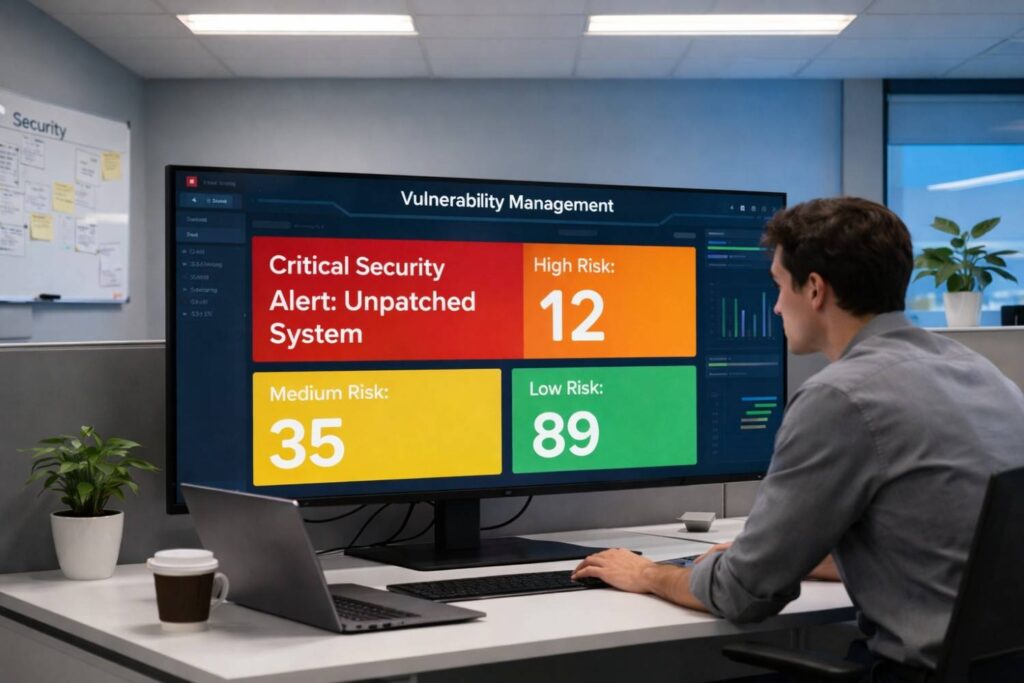
In the modern digital ecosystem, an “IT device” is a complex fusion of physical components and intricate software stacks. From servers and network switches to IOT sensors and employee laptops, each device presents a dual-layered attack surface: its hardware and its software. Effective vulnerability management, therefore, can no longer be a siloed practice focused solely on software patches. It must be a holistic, continuous discipline that identifies, assesses, prioritizes, and remediates weaknesses across the entire technology stack. This document outlines a complete vulnerability management lifecycle, integrating the critical modern practice of leveraging a Software Bill of Materials (SBOM) to illuminate the once-hidden software supply chain.
The Expanded Attack Surface: Hardware and Software Vulnerabilities
Before delving into the process, it’s crucial to understand the nature of the vulnerabilities we are managing.
1. Software Vulnerabilities
These are flaws or weaknesses in the code of an application, operating system, library, or firmware. They are the most commonly discussed type and can be introduced at any stage of the software development lifecycle. Examples include:
- Buffer Overflows
Where a program writes more data to a block of memory than it was allocated, potentially allowing execution of malicious code.
- SQL Injection
Where an attacker inserts malicious SQL code into a query, manipulating the database.
- Cross-Site Scripting (XSS)
Where malicious scripts are injected into otherwise benign and trusted websites.
- Zero-Day Vulnerabilities
Unknown flaws for which no patch is available at the time of discovery.
2. Hardware Vulnerabilities
These are physical or logical defects in the design, manufacture, or operation of a hardware component. They are often more challenging and costly to address, as they cannot typically be fixed with a simple software patch. Prominent examples include:
- Spectre & Meltdown
Design flaws in modern CPUs that allow programs to steal data being processed by other programs.
- Rowhammer
A phenomenon where repeatedly accessing a row of memory can cause bit flips in adjacent rows, potentially compromising security.
- Vulnerabilities in Management Controllers
Such as vulnerabilities in BMC (Baseboard Management Controller) firmware that can give attackers deep, persistent control over a server, independent of the main OS. The convergence of these two realms is where significant risk lies. A vulnerability in a device’s firmware (software) can expose its underlying hardware to manipulation, and a hardware-level flaw can undermine all software-based security controls running on it.
The Critical Role of the Software Bill of Materials (SBOM)
An SBOM is a nested inventory, a formal and machine-readable list of all software components and libraries that are included in a given piece of software, much like a list of ingredients on a food product. For any IT device, this means having an SBOM for its operating system, its applications, and, most importantly, its firmware.
The value of an SBOM in vulnerability management is transformative:
- Transparency: It provides unparalleled visibility into the software supply chain, moving beyond the top-level application to see the "dependencies of dependencies."
- Rapid Impact Analysis: When a new vulnerability is disclosed in an open-source library (e.g., Log4j), an organization can instantly query its SBOMs to identify every device and application that contains that vulnerable component, reducing investigation time from weeks to minutes.
- Proactive Risk Management: SBOMs allow security teams to identify known vulnerabilities in components before they are integrated into a device or deployed in the environment.
- Compliance and Reporting: Regulations and industry standards are increasingly mandating SBOMs to ensure software supply chain integrity.
SBOMs are typically generated in standard formats like SPDX (Software Package Data Exchange) or CycloneDX, allowing for automation and integration into vulnerability management tools.

The Vulnerability Management Lifecycle: A Step-by-Step Guide
The following lifecycle provides a structured framework for managing vulnerabilities from initial discovery to final resolution and verification.
Phase 1: Detection and Inventory
You cannot protect what you do not know exists. This phase is about creating a complete and accurate asset inventory.
Asset Discovery
Utilize automated tools to continuously scan the network (e.g., using NMAP) and integrate with existing IT management systems (e.g., CMDB, Active Directory, MDM for mobile devices) to build a dynamic inventory of all IT assets. This must include not just servers and workstations but also network gear, printers, IoT devices, and operational technology (OT).
Hardware Identification
For each device, record critical hardware details: manufacturer, model, serial number, CPU type and version, and other key components. This is essential for tracking hardware-specific vulnerabilities.
Software & Firmware Enumeration
Actively interrogate each device to create a software inventory. This includes:
- Operating System (Name, Version, Build).
- Installed Applications (Name, Vendor, Version).
- Running Services and Ports.
- Firmware Versions of the device itself and its components (e.g., BIOS, BMC, drive controllers, network cards).
SBOM Integration
For critical devices and applications, ingest the SBOMs provided by vendors or generated by your own development teams. Store these SBOMs in a central repository where they can be correlated with your asset inventory. This creates a powerful knowledge base linking devices to their deep software components.
Output:
A centralized, searchable asset repository that maps devices to their hardware specs, installed software, and associated SBOMs.
Phase 2: Vulnerability Assessment
With a known inventory, the next step is to systematically identify known vulnerabilities within it.
- Vulnerability Scanning
Deploy vulnerability scanners (e.g., Tenable Nessus, Qualys VMDR, OpenVAS) to automatically probe assets for known software vulnerabilities. These tools use databases of Common Vulnerabilities and Exposures (CVEs) to identify missing patches, misconfigurations, and weak credentials.
- Passive Monitoring
Utilize network-based sensors to analyze traffic and identify devices and services that may have been missed by active scans or that are too fragile to scan directly.
- SBOM Interrogation
This is a game-changing modern technique. Continuously monitor vulnerability databases and threat intelligence feeds (e.g., NVD, vendor advisories). When a new CVE is published for a specific library (e.g., openssl 1.1.1a), your system can automatically cross-reference it against all your stored SBOMs. This allows you to identify affected devices almost instantly, often long before traditional scanners have updated their signatures.
Hardware Vulnerability Correlation
Subscribe to hardware vendor security advisories (Intel, AMD, ARM, etc.) and threat intelligence feeds that track hardware flaws. Manually or automatically correlate your hardware inventory with these advisories to identify devices with vulnerable CPUs, management controllers, or other components.
Output:
A raw list of identified vulnerabilities, each associated with specific assets, including CVEs for software and specific advisories for hardware flaws.
- Phase 3: Common Vulnerability Scoring System (CVSS):
Use CVSS base scores as a starting point. A critical 9.8/10 vulnerability should generally be treated with more urgency than a low 3.5/10 one.
- Contextual Risk Enrichment
CVSS alone is insufficient. Prioritization must be contextualized using factors such as:
- Exploit Availability
Is there a public Proof-of-Concept (PoC) or active exploitation in the wild? (Refer to sources like Metasploit, Exploit-DB).
- Threat Intelligence
Is this vulnerability being actively discussed by threat actors targeting your industry?
- Asset Criticality
Is the vulnerable device a publicly exposed web server, a domain controller, or a non-critical test machine?
- Business Impact
What would be the consequence of a successful exploit? Data breach, operational downtime, financial loss, reputational damage?
- Compensating Controls
Are there other security controls (e.g., a WAF, network segmentation, host-based firewall) that effectively mitigate the risk, even if the vulnerability is unpatched?
Prioritizing Hardware Vulnerabilities
This requires special consideration. Factors include:
- Exploit Complexity
Many hardware flaws are difficult to exploit reliably.
- Mitigation Type
Does the mitigation involve a microcode update (delivered via a BIOS/UEFI update), an OS-level patch that may impact performance, or is it merely a configuration change?
- Physical Access
Some hardware attacks require physical access to the device, which changes the risk profile.
Output:
A set of change requests, deployed patches, and configuration modifications designed to eliminate or reduce the risk of the identified vulnerabilities.
Phase 5: Verification and Reporting
The work is not done until you have confirmed that the remediation was successful.
- Rescanning
Re-scan the previously vulnerable assets to verify that the vulnerability is no longer detected. This confirms that the patch was applied correctly and is effective.
- SBOM Re-analysis
For vulnerabilities identified via SBOM, re-analyze the SBOM of the updated software/firmware to confirm that the vulnerable component version has been replaced with a patched one.
- Functional Testing
Ensure that the remediation action did not break any critical business functionality on the device.
- Reporting and Metrics
Generate reports for stakeholders (technical teams, management, auditors) that demonstrate the effectiveness of the vulnerability management program. Key metrics include:
- Mean Time to Detect (MTTD)
- Mean Time to Remediate (MTTR)
- Overall Vulnerability Trend Over Time
- Patch Compliance Rate
- Number of Critical Vulnerabilities Open vs. Closed
Output:
Verification logs, updated dashboards, and compliance reports that provide evidence of closed-loop remediation.

Phase 6: Continuous Improvement
Vulnerability management is not a project with an end date; it is a perpetual cycle. This phase focuses on refining the process itself.
- Process Refinement
Analyze the lifecycle for bottlenecks. Was detection slow? Was prioritization inaccurate? Was remediation delayed due to poor testing? Use these insights to streamline workflows.
- Tool Evaluation
Regularly assess the tools used for scanning, SBOM management, and patch deployment. Are they keeping pace with the evolving threat landscape and technology stack?
- Feedback Loop
Incorporate lessons learned from security incidents. If an exploit occurred, was the vulnerability known? If so, why wasn’t it remediated in time?
- Training and Awareness
Ensure that all involved teams—security, IT operations, development—are trained on the process and understand their roles.
Output:
An updated vulnerability management policy, refined procedures, and a more mature, efficient, and effective security program.
Conclusion
The vulnerability management landscape for IT devices has expanded dramatically. The convergence of hardware and software vulnerabilities, compounded by the complexity of the software supply chain, demands a more sophisticated and integrated approach. By adopting a structured lifecycle—from comprehensive asset and SBOM-driven discovery to context-aware prioritization and verified remediation—organizations can move from a reactive patching frenzy to a proactive, risk-based security posture. The Software Bill of Materials is no longer a futuristic concept but a foundational element of this modern practice, providing the critical transparency needed to secure the very building blocks of our digital infrastructure. In this environment, a robust vulnerability management program is not just a technical necessity; it is a core business imperative for ensuring resilience and maintaining trust.
